
Canon PIXMA Endurance G3610 Ink Refill Bottles
Ink Refill Bottles for Canon PIXMA Endurance G3610
The Canon PIXMA Endurance G3610 is an all-in-one inkjet printer designed for high-volume printing at a low cost. It is part of Canon's MegaTank series, which utilizes large, refillable ink tanks instead of traditional cartridges, offering significant savings for users who need to print a lot. This model is well-suited for both home and small office environments, offering printing, scanning, and copying capabilities.
Here’s a detailed breakdown of the Canon PIXMA Endurance G3610:
1. Key Features of Canon PIXMA Endurance G3610
-
All-in-One Functionality: The G3610 can print, scan, and copy, making it a versatile choice for home or small office use.
-
MegaTank Ink System: Instead of using expensive ink cartridges, the G3610 uses refillable ink tanks that can be easily refilled with ink bottles. This system dramatically reduces the cost per page, making it an affordable option for high-volume printing.
-
High Page Yield: The MegaTank system offers an incredibly high yield, meaning you can print thousands of pages before needing a refill, greatly reducing ongoing ink costs.
-
Wi-Fi Connectivity: It supports wireless printing via Wi-Fi, allowing you to print documents and photos from smartphones, tablets, and computers without the need for a wired connection.
-
Compact Design: The G3610 has a relatively compact footprint, making it a good fit for small offices or home offices where space is limited.
-
Automatic Document Feeder (ADF): The printer includes an automatic document feeder, which allows for faster and more efficient scanning and copying of multiple pages.
2. Canon PIXMA G3610 Ink Refill Bottles
The Canon PIXMA G3610 is compatible with Canon GI-690 ink refill bottles. These are high-yield ink bottles that are easy to use and designed specifically for the MegaTank ink system.
Compatible Canon Ink Refill Bottles:
-
GI-690 Black (BK): For black ink refills.
-
GI-690 Cyan (C): For cyan ink refills.
-
GI-690 Magenta (M): For magenta ink refills.
-
GI-690 Yellow (Y): For yellow ink refills.
Each bottle can be used to refill the printer’s ink tanks, which are designed to hold large quantities of ink, allowing for a high page yield per bottle.
3. Advantages of the Canon PIXMA Endurance G3610
-
Cost Efficiency: The G3610’s MegaTank ink system is designed to reduce the cost per page dramatically, especially compared to traditional cartridge-based printers. With the ability to print thousands of pages per bottle, the G3610 is a great choice for anyone with high printing needs, such as businesses or frequent home users.
-
High Page Yield: The GI-690 Black ink bottle can print up to 6,000 pages at 5% page coverage, while the color bottles (cyan, magenta, yellow) can print up to 7,700 pages each. This is significantly higher than standard inkjet cartridges, which generally print only a few hundred pages per cartridge.
-
Eco-Friendly: By using refillable ink tanks instead of disposable cartridges, the G3610 contributes to reducing plastic waste and is a more environmentally friendly option.
-
Convenient Refilling: The refill bottles are designed to be mess-free, spill-resistant, and easy to use. Canon’s refillable ink tank system is built to be simple, so users can easily top off the ink tanks without much hassle.
-
Wireless and Mobile Printing: The printer supports wireless printing, so you can print documents directly from your phone, tablet, or laptop using Wi-Fi or services like Apple AirPrint, Google Cloud Print, and Canon’s PRINT Inkjet/SELPHY app.
4. How to Refill the Ink Tanks
-
Turn off the Printer: It’s important to turn off the printer before you start the refilling process to avoid any ink leaks or printer malfunctions.
-
Locate the Ink Tank Compartment: The ink tanks are visible at the front of the printer. They are designed to be easy to access and refill.
-
Remove the Refill Bottle Cap: Open the ink bottle and remove the cap. The bottles have a nozzle that fits securely into the tank.
-
Refill the Tanks: Insert the nozzle of the refill bottle into the corresponding ink tank (black, cyan, magenta, or yellow) and gently squeeze the bottle to transfer the ink into the tank. Be careful to stop when the tank reaches its maximum fill line.
-
Close the Ink Tank Compartment: After refilling, close the ink tank compartment securely.
-
Test Print: Once the refilling process is complete, turn the printer back on and perform a test print to ensure that the ink is flowing properly and that there are no issues.
5. Print Speed and Quality
-
Print Speed: The Canon PIXMA G3610 has decent print speeds, with black-and-white documents printing at up to 8.8 images per minute (ipm) and color documents printing at up to 5 ipm. While not the fastest in its class, it is more than sufficient for regular home or office printing needs.
-
Print Resolution: The maximum print resolution is 4800 x 1200 dpi, which provides high-quality prints, especially for photos and images. The G3610 can produce vibrant, detailed prints with excellent color reproduction.
6. Where to Buy Canon PIXMA G3610 and Refill Bottles
You can find the Canon PIXMA G3610 and its GI-690 ink refill bottles at various retailers:
-
Canon’s Official Website
-
Amazon
-
Best Buy
-
Office supply stores (e.g., Staples, Office Depot)
-
Electronics stores
7. Things to Keep in Mind
-
Only Use Canon Refill Bottles: To ensure the best performance and avoid potential issues, it’s important to use only Canon-branded ink refill bottles, such as the GI-690 series, which are designed for the MegaTank system.
-
Printer Warranty: Some warranties may be voided if third-party inks or refills are used. Always check the terms of your printer’s warranty before using third-party ink.
-
Refilling Process: Be cautious during the refilling process to avoid overfilling or spilling ink. Although the refill bottles are designed to be spill-proof, handling them carefully will minimize any risk of a mess.
Conclusion
The Canon PIXMA Endurance G3610 is an excellent choice for those looking to reduce their printing costs while maintaining high print quality. Its MegaTank system offers extremely low running costs with high-yield ink bottles, and the printer is well-suited for home offices, small businesses, and anyone who prints large volumes. With easy refilling, wireless connectivity, and a variety of functions, the G3610 provides solid value and convenience for users who need a reliable, cost-efficient printer.

Canon GI690BK Black Compatible Ink Refill Bottle
Compatible Canon GI690BK Black Ink Refill Bottle Save on our compatible replacement for the Canon ..
$13.75
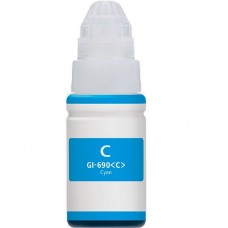
Canon GI690C Cyan Compatible Ink Refill Bottle
Compatible Canon GI690C Cyan Ink Refill Bottle Save on our compatible replacement for the Canon GI..
$10.55
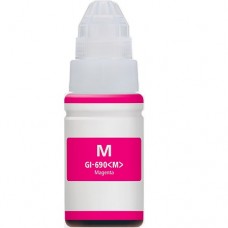
Canon GI690M Magenta Compatible Ink Refill Bottle
Compatible Canon GI690M Magenta Ink Refill BottleSave on our compatible replacement for the Canon GI..
$10.55
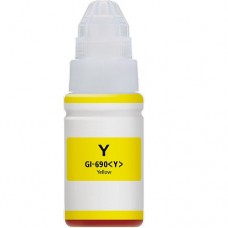
Canon GI690Y Yellow Compatible Ink Refill Bottle
Compatible Canon GI690Y Yellow Ink Refill BottleSave on our compatible replacement for the Canon GI6..
$10.55