
Canon PIXMA Endurance G2600 Ink Refill Bottles
Canon PIXMA Endurance G2600 Ink Refill Bottles
The Canon PIXMA Endurance G2600 is part of Canon's MegaTank series, which features refillable ink tanks designed to reduce printing costs and improve efficiency. The PIXMA G2600 is a versatile all-in-one printer that supports high-volume printing, making it ideal for both home and small business environments. This printer uses refillable ink tanks that you can refill using Canon ink refill bottles, making it an economical and sustainable choice for those with high printing demands.
Here’s a breakdown of the Canon PIXMA Endurance G2600 and its compatible ink refill bottles:
1. Canon PIXMA Endurance G2600 Features
-
Print, Scan, Copy: The G2600 is an all-in-one printer that offers printing, scanning, and copying capabilities.
-
High Page Yield: The printer is designed to print high volumes at a very low cost. Canon's MegaTank system allows for thousands of prints with minimal ink consumption.
-
Ink Tank System: Instead of traditional ink cartridges, the G2600 has large ink tanks that can be easily refilled with ink bottles. This system is designed to reduce waste and lower the cost per print.
-
USB Connectivity: The printer connects to your computer via USB, making it ideal for home offices or small businesses.
2. Canon PIXMA G2600 Ink Refill Bottles
The Canon PIXMA Endurance G2600 uses Canon GI-790 ink refill bottles, which are designed for the printer's MegaTank system. These bottles contain high-yield ink that can be used to refill the ink tanks in the G2600.
Compatible Canon Ink Refill Bottles:
-
GI-790 Black (BK): Used for black ink refills.
-
GI-790 Cyan (C): Used for cyan ink refills.
-
GI-790 Magenta (M): Used for magenta ink refills.
-
GI-790 Yellow (Y): Used for yellow ink refills.
These refill bottles are sold separately and can be purchased in individual colors or as a set. Each bottle is designed to refill the corresponding ink tank in the printer.
3. Advantages of Using Canon PIXMA G2600 Ink Refill Bottles
-
Low Cost per Page: The MegaTank system is highly cost-effective. The ink refill bottles provide a much lower cost per page compared to traditional cartridges. This is especially beneficial for those who print large volumes of documents regularly.
-
High Print Yield: Canon’s refill bottles are designed to last longer, offering a high page yield per bottle. For example, the GI-790 Black ink bottle can print up to approximately 6,000 pages (at 5% page coverage).
-
Eco-Friendly: Since the printer uses refillable tanks instead of single-use cartridges, it reduces waste and contributes to a more environmentally friendly printing process.
-
Easy Refilling: The ink refill bottles are designed for easy and mess-free refilling. Canon has included features like a spill-proof design and easy-to-use nozzles to ensure a smooth refill process.
4. How to Refill the Canon PIXMA G2600 Ink Tanks
Refilling the ink tanks on the Canon PIXMA Endurance G2600 is straightforward. Here’s how to refill the ink tanks using the Canon GI-790 ink refill bottles:
-
Turn Off the Printer: Before refilling, make sure to turn off your printer to avoid any accidents.
-
Open the Ink Tank Area: Locate the ink tank compartment on the printer. This is where you’ll refill the ink.
-
Remove the Refill Bottle Cap: Carefully open the ink refill bottle. Be sure to handle the bottle carefully to avoid spills.
-
Fill the Ink Tanks: Gently insert the refill bottle nozzle into the ink tank opening. Squeeze the bottle lightly to transfer the ink into the tank. Each ink tank is marked with a fill line to indicate the maximum level of ink. Ensure you don’t overfill the tank.
-
Close the Ink Tank Lid: After refilling, securely close the ink tank compartment.
-
Run a Test Print: Once the ink tanks are refilled, turn the printer back on and perform a test print to ensure the ink is flowing properly and that there are no issues with the refilling process.
-
Check for Any Printer Errors: If the printer shows any errors (like ink misalignment), you may need to run a print head cleaning cycle to ensure smooth operation.
5. How Long Does One Refill Bottle Last?
The Canon GI-790 refill bottles are designed for high yield, and each bottle can print thousands of pages before needing to be replaced. For instance:
-
GI-790 Black: Approximately 6,000 pages at 5% coverage.
-
GI-790 Color (Cyan, Magenta, Yellow): Approximately 7,700 pages per color at 5% coverage.
This high yield means fewer refills and a lower cost per page over time, which is a big advantage for those who need to print large quantities.
6. Where to Buy Canon GI-790 Ink Refill Bottles
Canon ink refill bottles can be purchased from various sources:
-
Canon’s Official Website
-
Amazon
-
Best Buy
-
Office Supply Stores (Staples, Office Depot, etc.)
-
Other Online Retailers
7. Things to Keep in Mind
-
Use Only Canon GI-790 Refills: For the best performance and to avoid voiding the warranty, it’s recommended to use only genuine Canon ink refill bottles (GI-790). Using third-party or non-genuine ink may lead to print quality issues or printer malfunctions.
-
Check Printer Compatibility: Always ensure that the ink refill bottles you’re purchasing are compatible with your printer model, in this case, the Canon PIXMA G2600.
-
Avoid Spills: Be careful when handling the refill bottles to avoid ink spills. The bottles are designed to be spill-proof, but it’s still important to refill the tanks slowly and steadily.
Conclusion
The Canon PIXMA Endurance G2600 is a cost-effective, high-yield printer that works well with Canon GI-790 ink refill bottles. By using refill bottles instead of traditional ink cartridges, you can significantly reduce your printing costs while also benefiting from a more eco-friendly solution. The easy-to-use MegaTank system ensures that refilling is simple, and the high page yields help keep your printer running longer between refills.

Canon GI690BK Black Compatible Ink Refill Bottle
Compatible Canon GI690BK Black Ink Refill Bottle Save on our compatible replacement for the Canon ..
$13.75
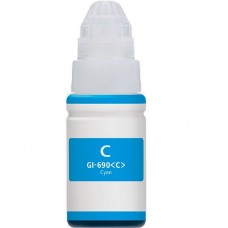
Canon GI690C Cyan Compatible Ink Refill Bottle
Compatible Canon GI690C Cyan Ink Refill Bottle Save on our compatible replacement for the Canon GI..
$10.55
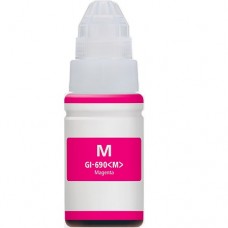
Canon GI690M Magenta Compatible Ink Refill Bottle
Compatible Canon GI690M Magenta Ink Refill BottleSave on our compatible replacement for the Canon GI..
$10.55
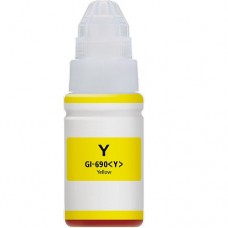
Canon GI690Y Yellow Compatible Ink Refill Bottle
Compatible Canon GI690Y Yellow Ink Refill BottleSave on our compatible replacement for the Canon GI6..
$10.55